
Building Uncle Rudy on iOS 27: Core AI, MLX, Foundation Models and App Intents in one app
A focused accountability app that puts nearly every major capability of iOS 27 to work in one place, entirely on device.
On this page
An app built around accountability
The todo category has spent years perfecting capture, getting a thought into a neat, sortable list. It has left the harder half untouched: actually finishing the work. People don’t abandon these apps because capture is difficult, they abandon them because nothing on the other side expects the task to get done.
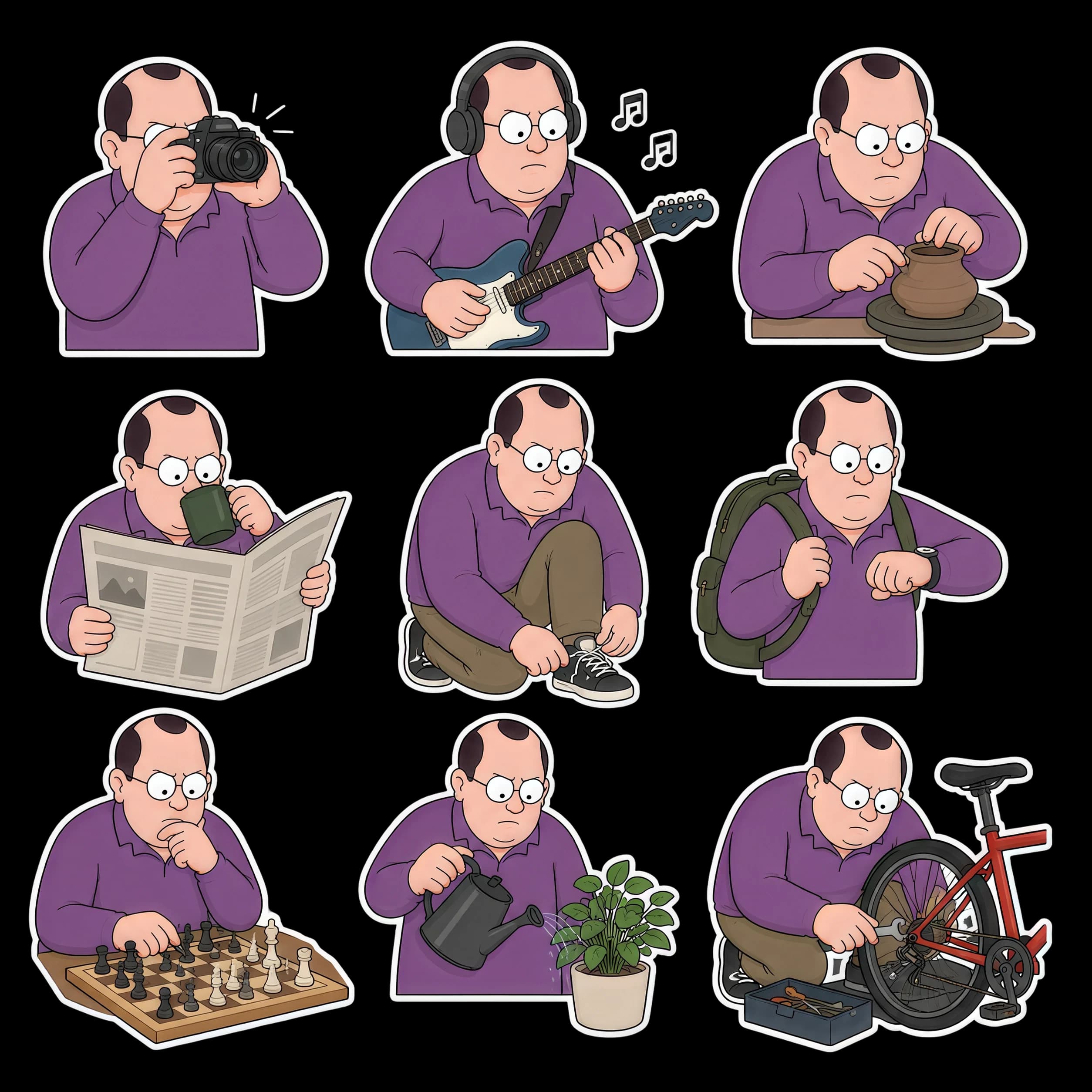
Uncle Rudy is built around that missing half. It limits each day to five tasks you intend to finish, and pairs them with a character who notices what you complete, remembers what you avoid, and holds you to it. Accountability, not organization, is the product.
The character is not decoration. Uncle Rudy is unimpressed by default and unafraid to say so. He is sharp about the task you keep putting off, and never about you as a person, and that single line is what keeps the tone motivating instead of discouraging. His approval is rare and has to be earned, which is exactly why people work to earn it. Within a couple of weeks he stops being a novelty and becomes someone a person does not want to let down, and that relationship is what turns a list into follow-through. It is also what makes the app used daily rather than installed and forgotten, which matters later in this document.
That accountability model also turned out to be an interestingly vivid way to exercise native iOS 27 features. A tasks app naturally touches voice, intent, on-screen context, widgets, Live Activities, notifications, vision, and accessibility, so building one well means adopting the platform broadly rather than decoratively. The rest of this document describes that integration, area by area.

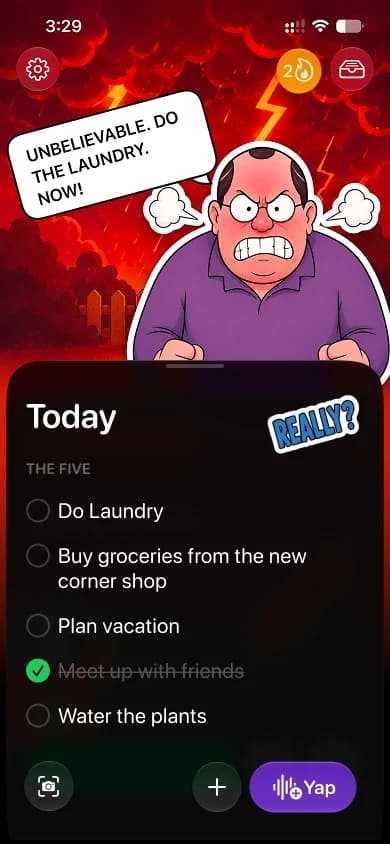
The five
Five tasks a day, everything built around it
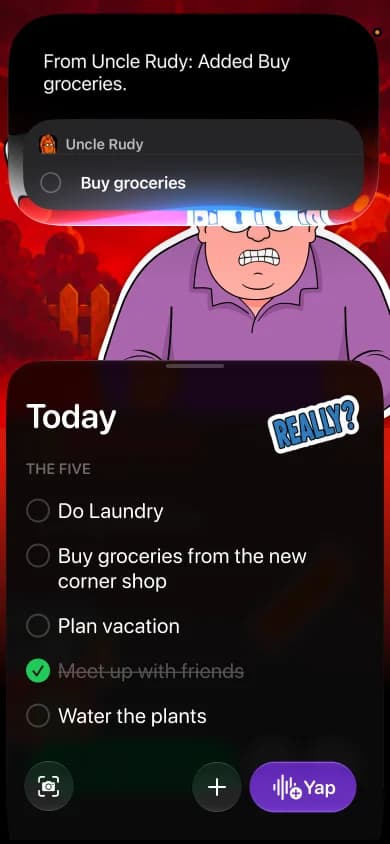
App Intents and Siri
Add, move, complete, or delete, Siri sees your screen
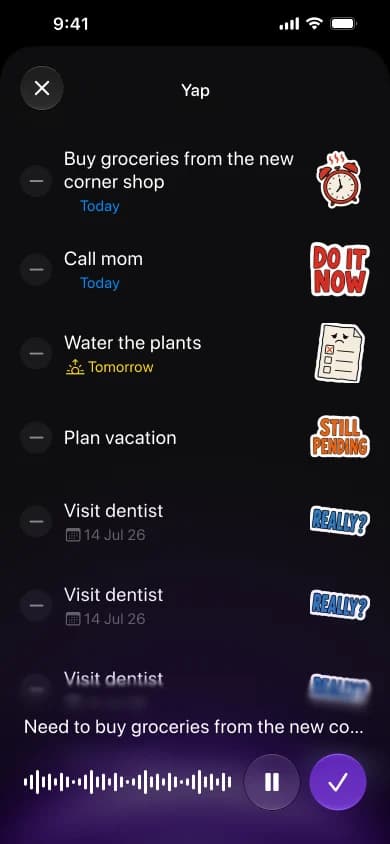
Core AI
Just talk, your own on-device model sorts it
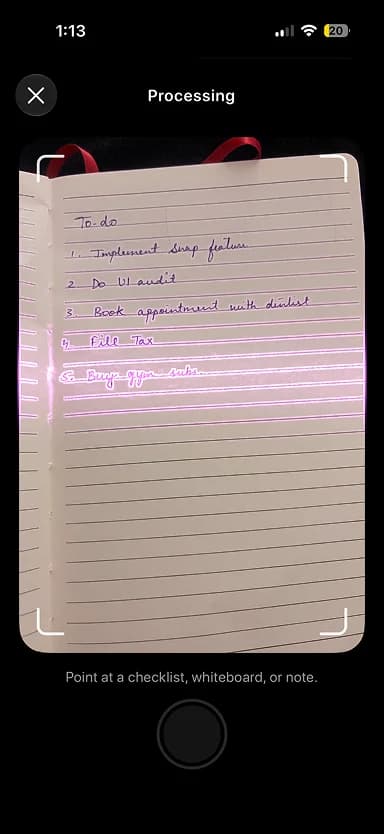
Visual Intelligence
Snap any list, tasks created on device
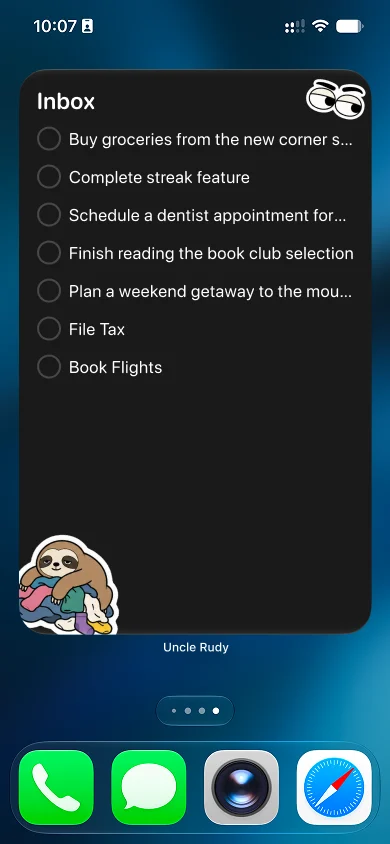
Extra-large widget
Your day always in view, everywhere
Five tasks. That is the whole rule.
Everything in Uncle Rudy starts here. You get five tasks for the day. Not fifty. A sixth is refused. Five things you actually intend to finish today, chosen deliberately, sitting in front of you with nothing else competing for the space. That is the entire product in one sentence, and every other decision in the app exists to protect it.
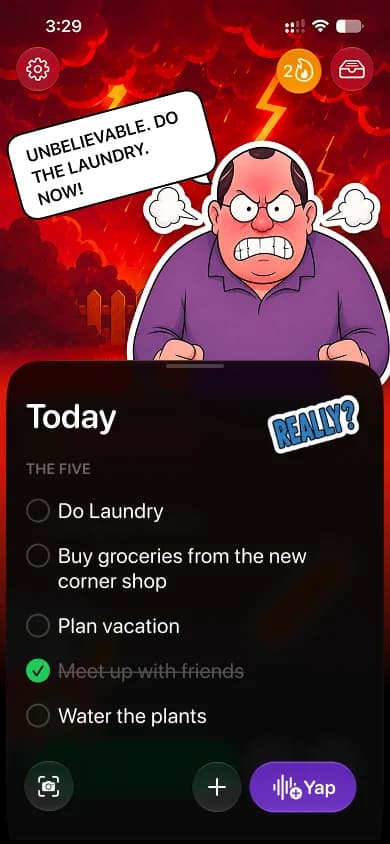
Today's five
Five you commit to and finish today
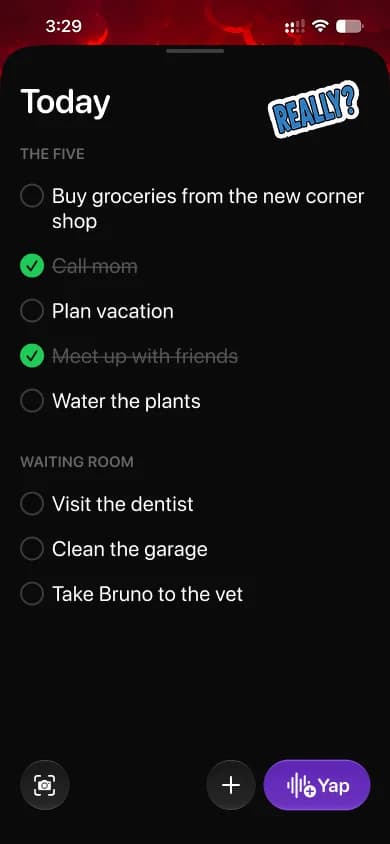
Waiting room
It waits until your five are done
Five is a number you can hold in your head, commit to in the morning, and finish by the evening. It forces the single most useful act in personal productivity, which is deciding what actually matters today rather than pretending everything does. And because five is achievable, most days end complete, which is something almost nobody using a conventional task app has felt in years. A list you can finish is a list you return to. A list you can never finish is one you eventually delete.
The cap does quieter work too. When there are only five slots, each one has a real cost, so people stop adding things simply to feel productive, and the day begins without the usual negotiation, because the decision has already been made and the only thing left is to start. The focus is the feature, and every capability described below exists to keep those five in front of the user and get them done.
Focus is not a feature you add. It is everything you refuse to add.
Uncle Rudy and iOS 27, a system-level integration
Each row below is an iOS 27 capability, described plainly, alongside how Uncle Rudy uses it. The sections that follow expand each area in detail, and each one is tied to a specific user problem rather than adopted for its own sake.
| Feature | What it is | How Uncle Rudy integrates it |
|---|---|---|
| Foundational intelligence | ||
| Core AI | Runs a custom AI model on device, on the Apple Neural Engine. | Powers our own task model. You talk, and it becomes structured tasks, entirely offline. |
| Foundation Models: Dynamic Profiles | Swaps a model's personality, tools, and instructions within a session. | The three Rudy personalities are three profiles, switched live with no reload. |
| Foundation Models: Vision | The on-device model can read images. | Point the camera at a paper list and it becomes tasks, locally. |
| Foundation Models: on-device search | Private search over the user's own content via the Spotlight semantic index. | Rudy's memory. He recognises what you keep pushing back. |
| Evaluations framework | Verifies model behaviour across dynamic conditions. | Keeps the character consistent and inside its boundaries. |
| Private Cloud Compute | Apple Foundation Models on private servers for heavier reasoning. | Held in reserve for rare heavy tasks. Everyday work stays on device. |
| Siri and App Intents | ||
| App Intents schemas | System-defined structures Siri understands, including task management. | We adopt the task schema, so Siri can run the app the moment it installs. |
| Siri AI | A rebuilt, conversational Siri that takes action inside apps. | Add, complete, move, delete, and summarise the day by voice. |
| View Annotations API | On-screen awareness by mapping views to entities. | Look at a task and say “push that one.” Siri knows which. |
| Personal context | Siri privately draws on the user's own information. | References to your tasks and habits resolve without spelling them out. |
| Call intelligence | Relevant information surfaced during a call. | A noted task resurfaces when you are on a related call. |
| App Intents Testing | Validates Siri, Shortcuts, and Spotlight through real system paths. | How we ship the voice layer with confidence. |
| System surfaces | ||
| Extra-large widgets | A new full-screen widget size. | Your full five on the Home Screen, with Rudy's mood beside them. |
| Interactive widgets | Act on content without opening the app. | Complete a task straight from the widget. |
| Live Activities and Dynamic Island | Live status pinned to the top of the screen. | A focus timer, with Rudy's expression souring as time runs down. |
| Control Center | A custom control available anywhere in the system. | Capture a task in a swipe and a tap. |
| Action Button | A single physical press. | One press starts a voice capture. |
| Spotlight | System search and actions. | Tasks are searchable and actionable from a Home Screen swipe. |
| Liquid Glass | The refined system material, with a clarity control. | Every surface rendered natively, tuned to the user's clarity setting. |
| Vision, creativity, accessibility | ||
| Visual Intelligence | Turns what the camera sees into actions. | Complements the on-device photo-to-tasks capture. |
| Image Playground | Generates images, on Private Cloud Compute. | Restyle Rudy's look inside the app. |
| Accessibility | A great experience for a broad range of users. | Full VoiceOver, Dynamic Type, Reduce Motion, Increase Contrast, and complete voice operation. |
Core AI and MLX: our own model on the phone
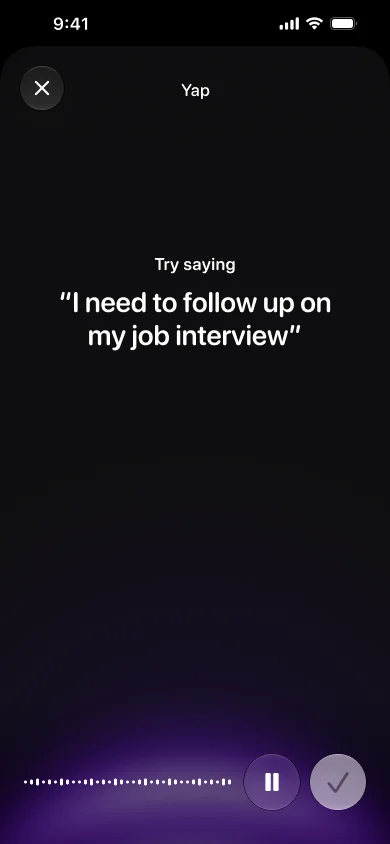
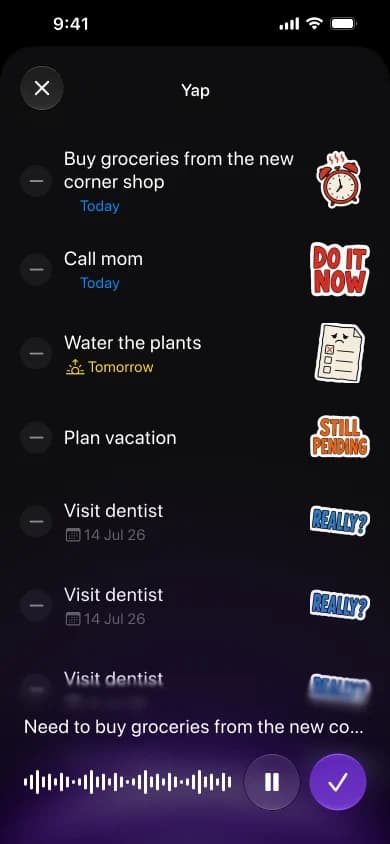
The primary way into Uncle Rudy is voice. You tap once and talk, unstructured and in any order, and it comes back as clean, discrete, dated tasks. It works in both directions, so “move lunch to 2pm” updates a task and “scratch homework off my list” deletes one. This calls for a model that reliably takes actions against a real schema, not one that merely generates text.
The problem it solves. Capturing a task should be faster than the thought that prompted it. Typing into a form with a title field and a date picker is slow enough that people talk themselves out of it and decide they will remember. Turning speech into structured tasks instantly, on device, removes that friction, which is what keeps the list accurate enough to trust.
Why we trained our own model using MLX framework
We fine-tuned a small model specifically for structured tool use: create, update, delete, and reschedule, with correct dates, against our exact data model, every time. General-purpose text generation is a different problem, and a narrower model is both more reliable and far smaller. We trained it with MLX, Apple’s framework for machine learning on Apple silicon, on a Mac. The result is roughly a 200MB model, small enough to live comfortably on device and shaped tightly around one job.
Why we moved inference to Core AI
We first ran inference with MLX Swift. It worked well, but the model took too long to load, and that cold start sat between the user and the result on every invocation. For a feature whose entire value is being faster than typing, that delay is the difference between a daily habit and an abandoned feature.
Moving inference to Core AI, the successor to Core ML, removed the lag. Core AI runs on the Apple Neural Engine and performs ahead-of-time compilation, so the heavy preparation happens before the app ever reaches the device. The cold start effectively disappears, and the model runs faster and more power efficiently, which matters for something people invoke many times a day.
The pipeline
MLX · the lab
Fine-tune the small model into exact task behaviour, on a Mac, quickly and privately.
Handoff
Package the trained model into Apple's on-device format.
Core AI · the engine
Ship it and run it efficiently on the Neural Engine across devices.
We think of these as two ends of one pipeline rather than competing choices. MLX is where the model is made, and Core AI is where it lives. The pipeline itself is the part we consider most reusable, because it makes the next small on-device model far cheaper to build than the first one was.
| Property | Detail |
|---|---|
| Task | Structured tool use: natural speech into create, update, delete, and reschedule against our schema. |
| Trained with | MLX, on Apple silicon, on a Mac. |
| Runtime | Core AI, on the Apple Neural Engine, ahead-of-time compiled. |
| Size | Approximately 200MB, on device. |
| Connectivity | Fully offline. Works in Airplane Mode. |
| Data handling | No upload, no transcription service, no server round trip. |
Personality, vision, and memory
Alongside our own model, Uncle Rudy uses the Foundation Models framework for the parts that benefit from Apple’s built-in on-device model, with hand-written fallbacks so the character never goes quiet.
Dynamic Profiles: three personalities, one uncle
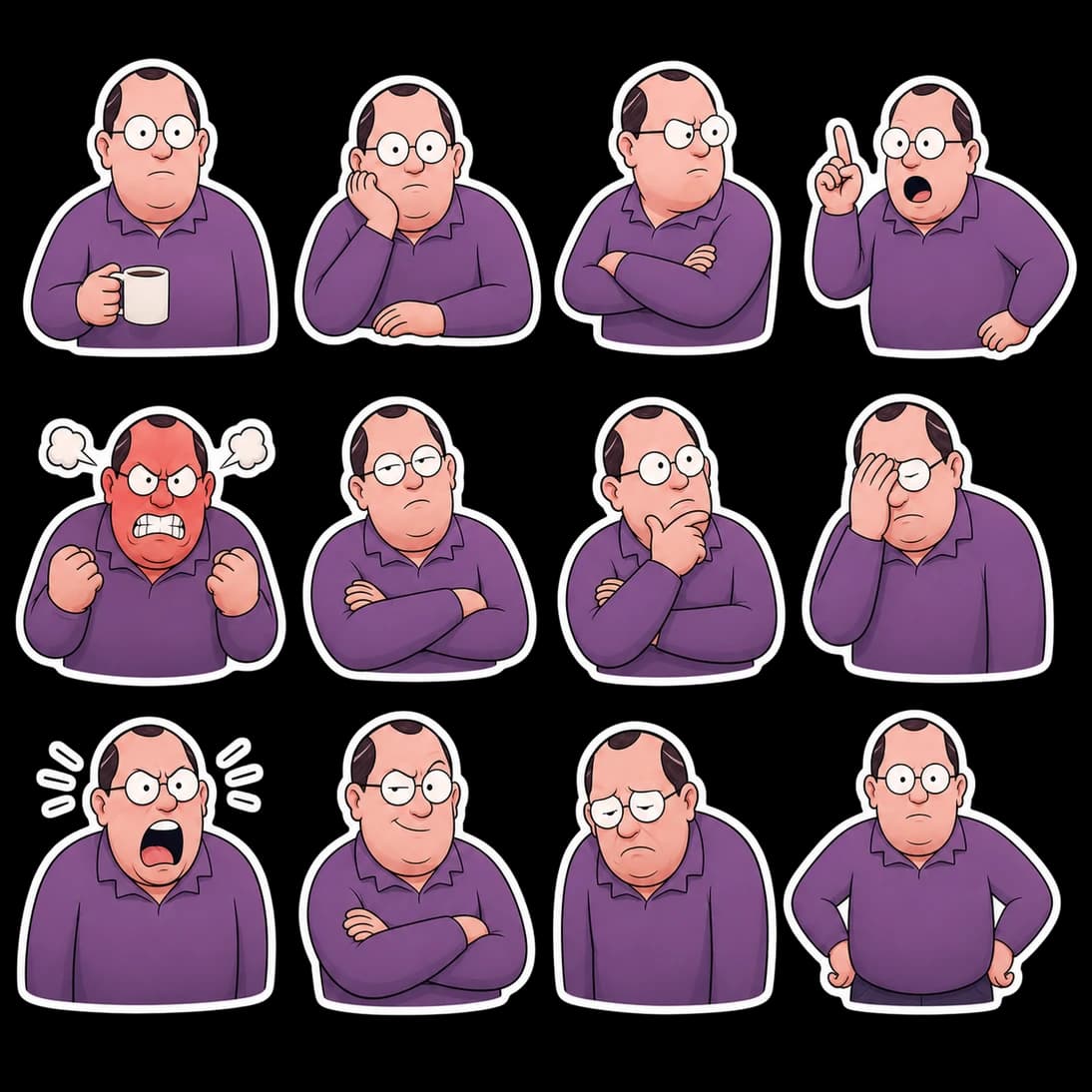
Uncle Rudy offers three selectable personalities. They are not a single voice at three volumes, but three distinct relationships, each built as a Dynamic Profile with its own instructions, voice, and limits. Selecting one swaps the active profile instantly, with no reload, and every line generated afterwards is in the new voice. Importantly, the mood system, a set of states running from irritation through to a rare thumbs up, is identical across all three and is driven by the user’s actual performance. The profile changes the language, never the standard the user is held to.
Deadline's close. Sit down and file it
Tough Love
Deadline's coming. Taxes still admiring the view?
Sarcastic
TAXES ARE DUE. STOP STALLING. GO.

Full Rudy Mode


| Personality | Suited to someone who | Tone |
|---|---|---|
| Tough Love | responds to encouragement, but still needs high standards. | Direct, warm, no flattery. |
| Sarcastic (default) | wants accountability that stays enjoyable rather than heavy. | Deadpan, teasing, affectionate underneath. |
| Full Rudy | works best when lightly provoked. | Loud, ego-poking, never unkind about the person. |
A single boundary is written into every profile, including Full Rudy: be relentless about the task, and never about the person. We verify that this holds across the real range of conditions using the Evaluations framework, rather than only the cases we happened to think of. When a product’s value depends on a character staying reliably in character, that verification is part of the engineering, not an afterthought.
Vision: a photo becomes tasks
Because Foundation Models can read images, a photo of a whiteboard, a sticky note, or a notebook page becomes structured tasks on device. We pass images alongside text in a multimodal prompt and call Vision tools such as OCR directly, all locally, with nothing uploaded.

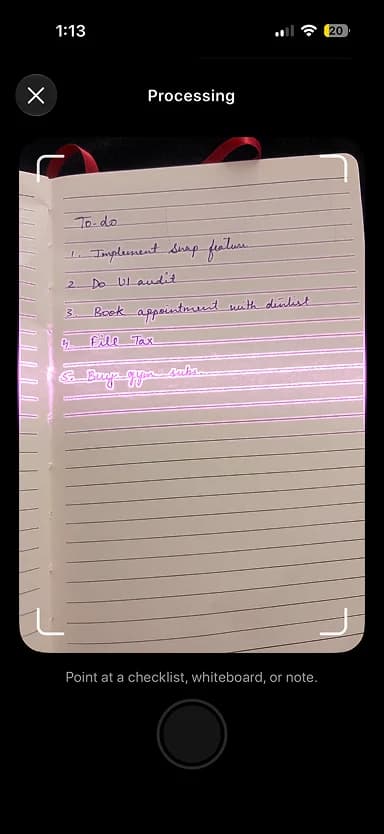
Point at your list
Aim at any list, paper or screen
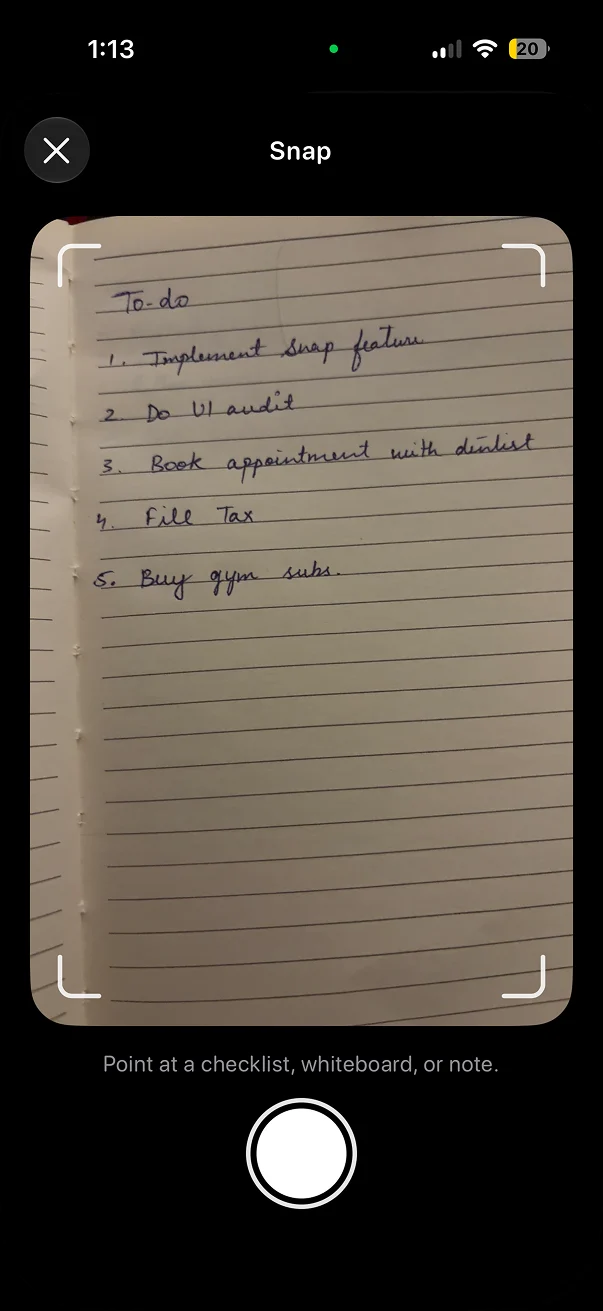
Processing
Vision reads it, right on device
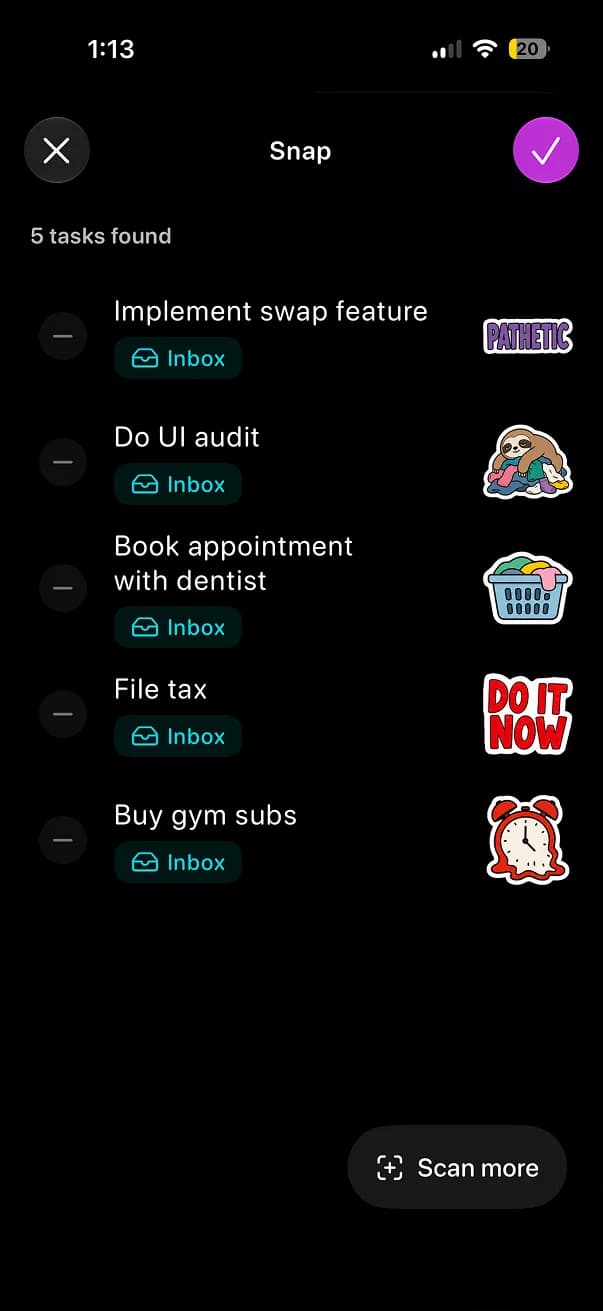
Tasks created
Every item added, all stayed private
The problem it solves. A great many people still keep their real lists on paper, on a whiteboard, or on the back of an envelope, and retyping them is exactly the friction that makes a system fall apart. Reading the note directly meets people where their tasks already are, rather than asking them to change how they already work.
On-device search: Rudy’s memory
Rudy’s observations depend on private, on-device search over the user’s own content through the Spotlight semantic index. He recognises the task that has moved three weeks running, or the item that has sat untouched for a month. Because the search runs on device, his comments are specific and personal without any data leaving the phone. Memory is also what turns a novelty into a relationship, which is why we built it early rather than treating it as an addition.
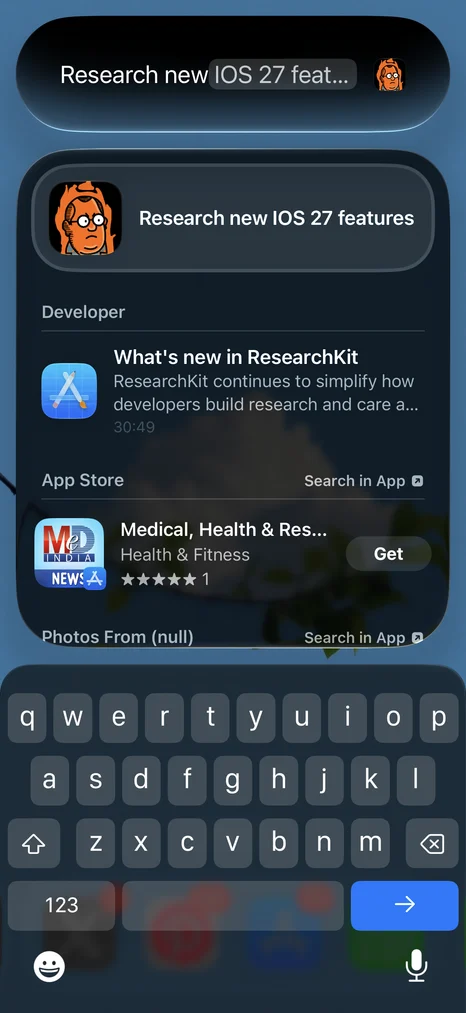
| Capability | Where it runs | Used for |
|---|---|---|
| Dynamic Profiles | On device | The three personalities, switched live. |
| Vision, multimodal | On device | A photo of a list into structured tasks. |
| On-device search | On device | Memory and pattern recognition. |
| Evaluations | Development | Character consistency and boundary checks. |
Running the entire app without opening it
An accountability app has a specific weakness to overcome. The moment someone is avoiding their tasks is exactly the moment they stop opening the app that lists them. App Intents is our answer, and it is the most important framework in the product, because everything you can do by hand you can also do by asking, from anywhere in the system.
The problem it solves, the visibility problem. To act on a task in a normal app, you first have to open it: unlock, find the app, wait, tap, type, confirm. That is enough steps that the thought does not survive the trip, and the app drifts out of sync with real life. iOS 27 makes it newly possible for an app to be fully operable without ever being opened, and we treat that as the answer to a real problem rather than a convenience. It is the single capability our whole design leans on hardest.
We adopt Apple’s schemas rather than inventing our own
Rather than defining custom phrasings, we use Apple’s App Intents schemas for task management, the structures Siri AI already understands deeply. Our entity schemas contribute Uncle Rudy’s content to the Spotlight semantic index, which enables personal context with attribution back to the app. Our intent schemas let people act in natural language with no phrases for us to define.
The reason this matters: because the schemas are system-defined, the integration keeps improving without us touching it. As Siri’s language understanding expands to new phrasings, languages, and dialects, Uncle Rudy grows better at understanding people it was never explicitly taught to understand. We write the actions once, and the system maintains the interface.
On-screen awareness and personal context
The View Annotations API maps our views to entities, so a user can glance at a task and say “push that one to next week” without naming it. Paired with Siri’s personal context, references to the user’s own tasks and habits resolve correctly. We validate the whole surface with the App Intents Testing framework through real system paths rather than UI automation, so the voice layer ships with confidence rather than hope.
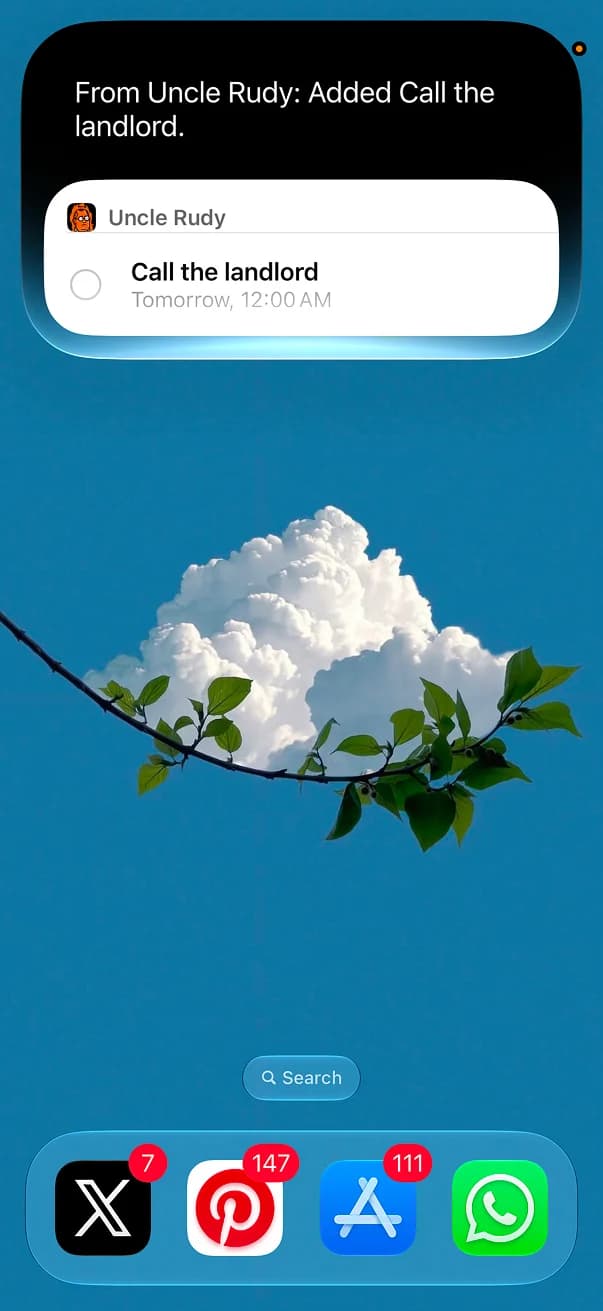
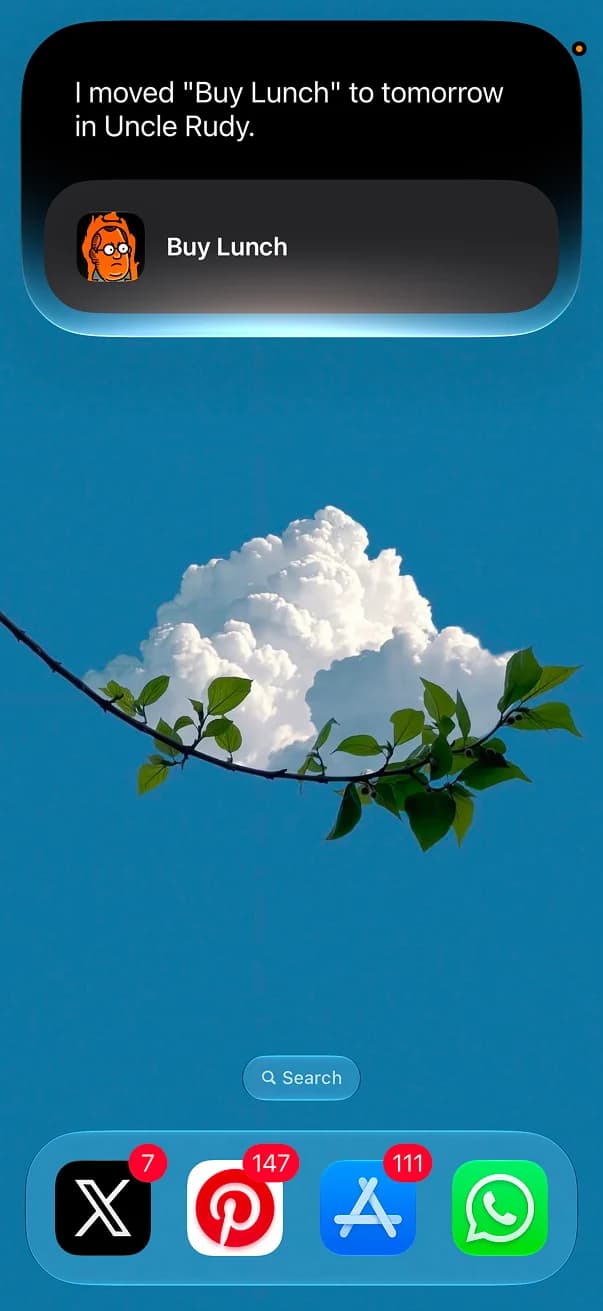
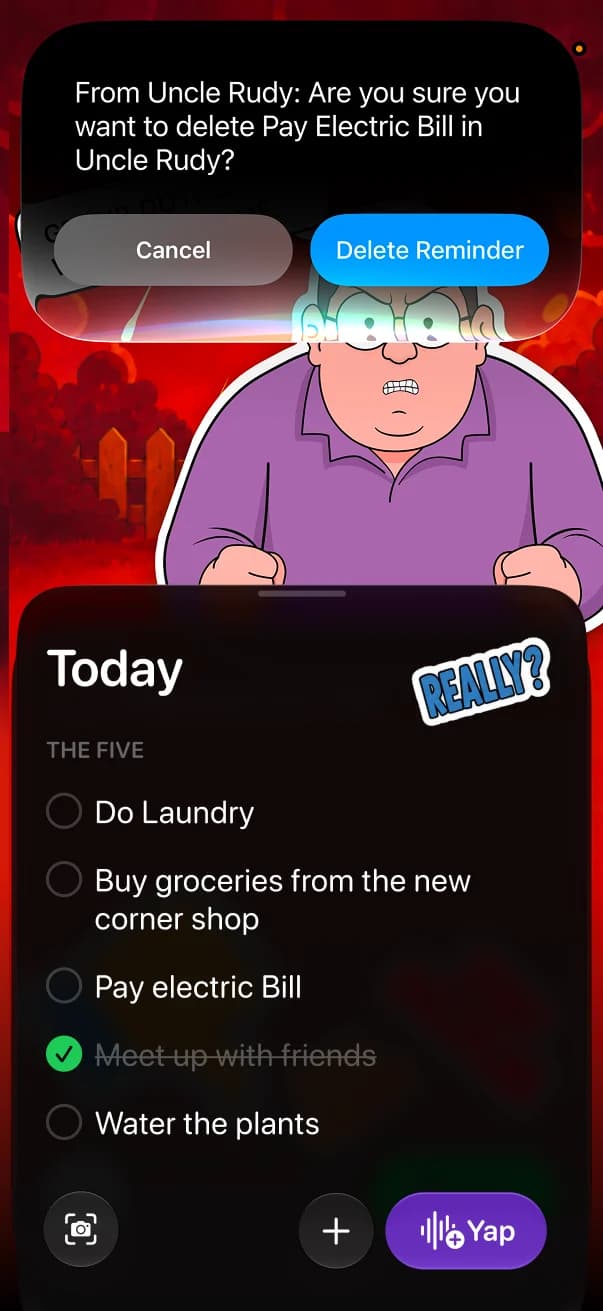
Just ask Siri
Add, move, complete, or delete any task, straight from Siri
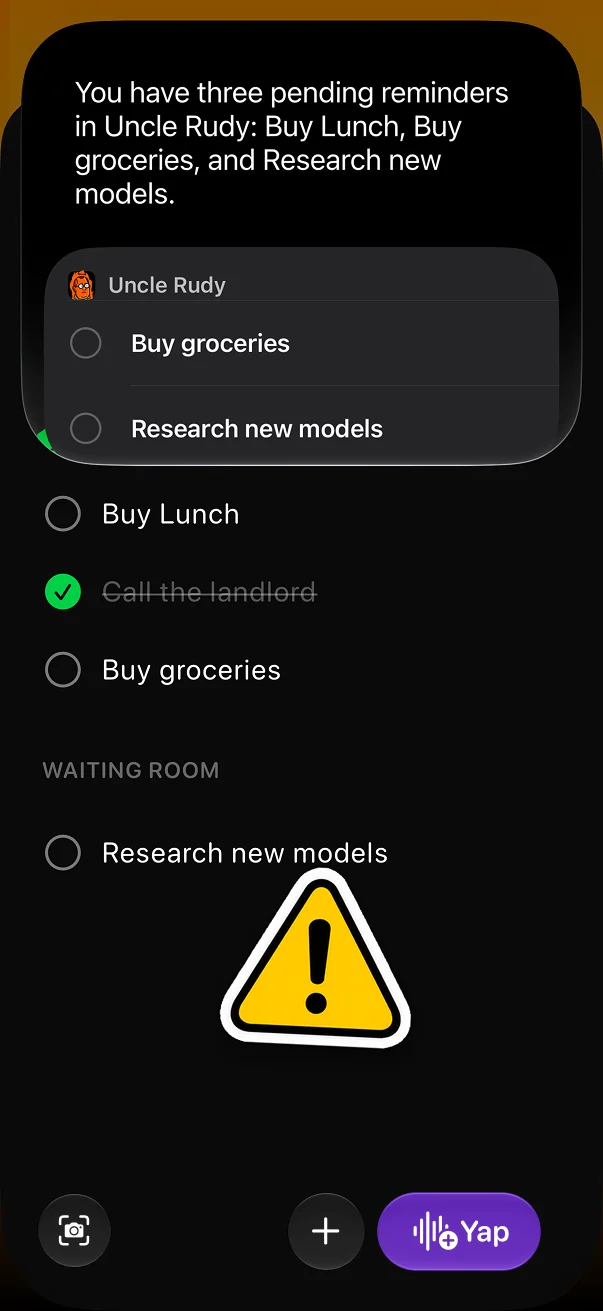
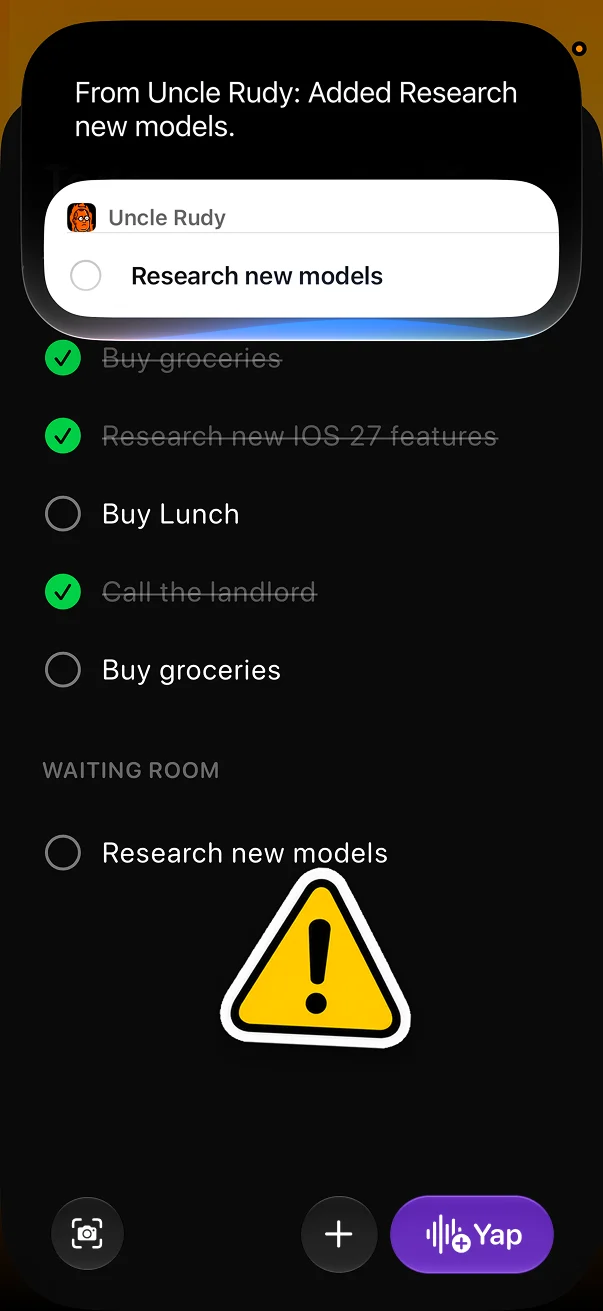
Screen awareness
Ask it to summarize or add to this list, and it already knows which one
| The user says | What happens | Mechanism |
|---|---|---|
| “Add ‘call the landlord’ for tomorrow” | A dated task is created. | Intent schema |
| “Mark the electric bill done” | The task is completed. | Intent schema |
| “Move lunch to 2pm” | The task is rescheduled. | Intent schema |
| “How am I doing this week?” | A spoken summary of the five and the streak. | Entity and summary |
| “Push that one to Friday” (while looking at it) | The on-screen task is rescheduled. | View Annotations |
One integration, many surfaces
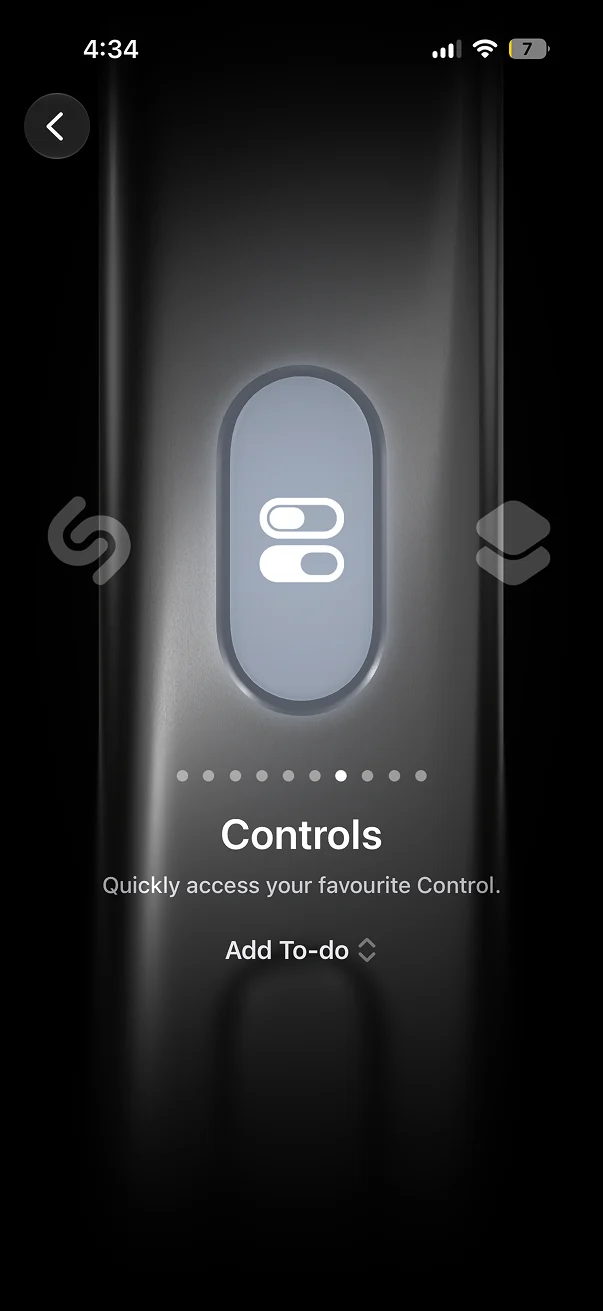
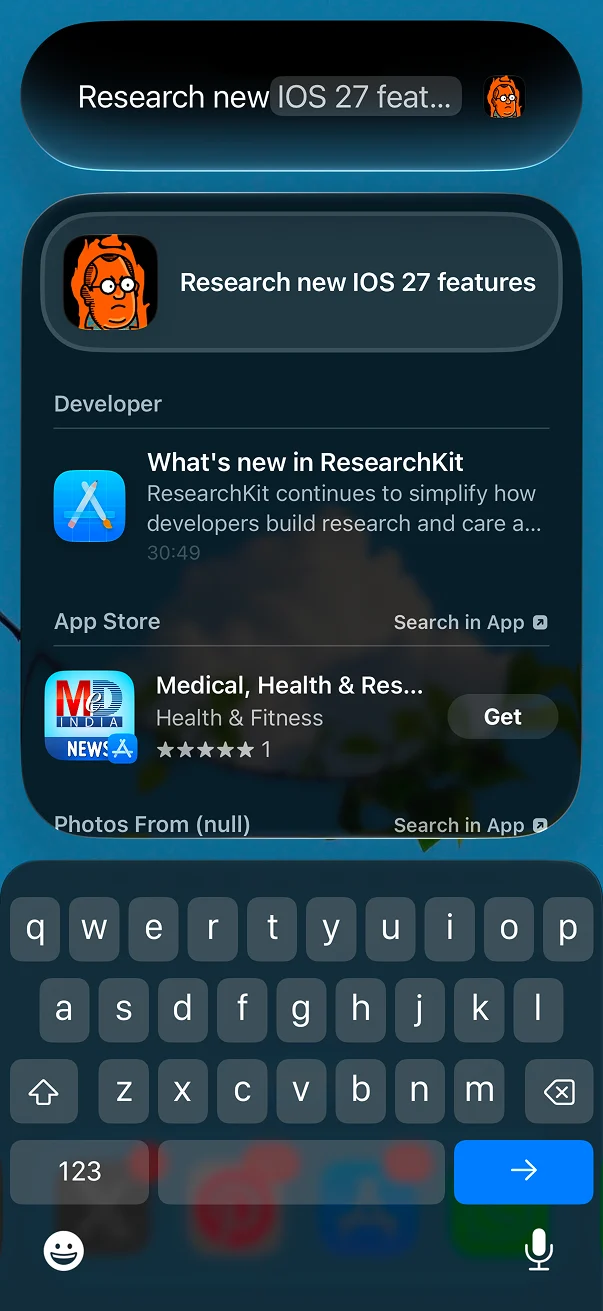
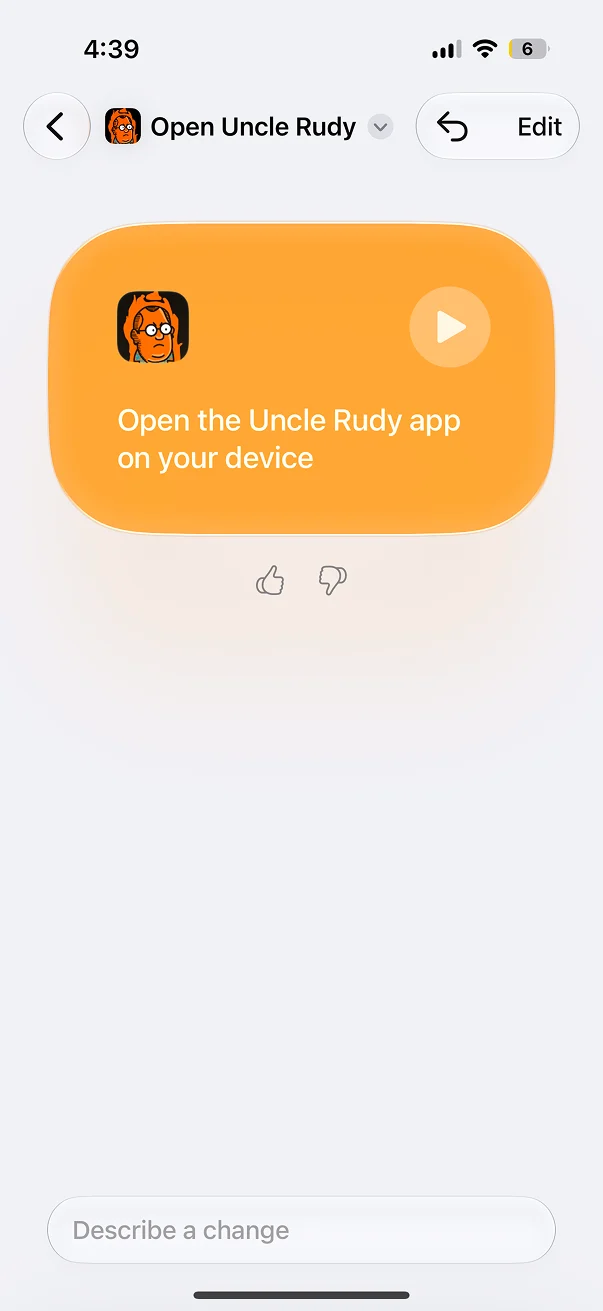
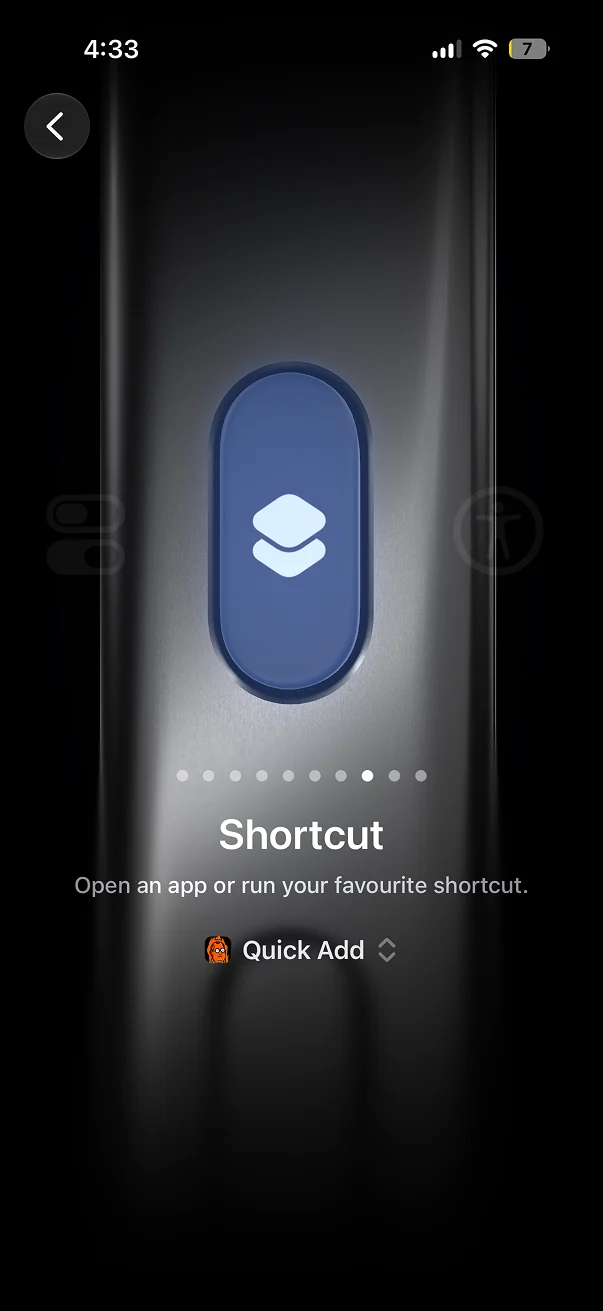
Because the actions are built on App Intents, they appear across the system automatically. We implement once, and the platform distributes everywhere the user already is. This is the direct, technical answer to the visibility problem above.
| Surface | What it enables |
|---|---|
| Siri | Conversational, hands-free control of the whole app. |
| Shortcuts | Rudy's actions inside any automation or routine. |
| Spotlight | Search and act on tasks from a Home Screen swipe. |
| Action Button | One press starts a voice capture. |
| Control Center | Capture from anywhere, including the Lock Screen. |
| CarPlay and AirPods | The same actions while driving or on the move. |
Present on every surface, in Liquid Glass
Our guiding principle is that the app should work when it is closed. Accountability that stays trapped inside an app is easy to escape, so we treat iOS 27’s system surfaces as primary interfaces, each capable of a complete interaction on its own, rather than as shortcuts into the app.
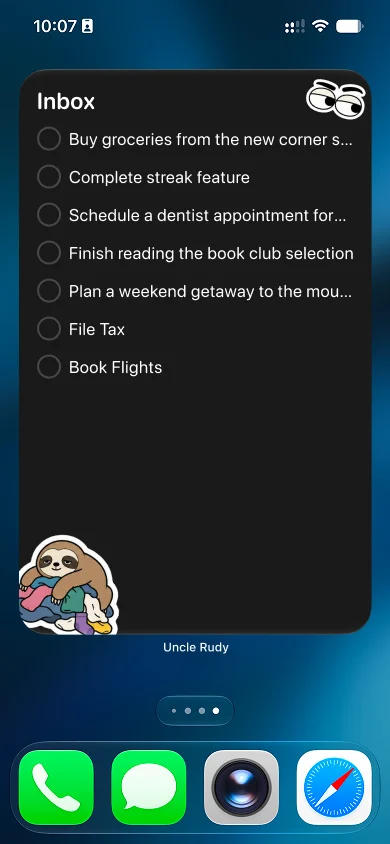
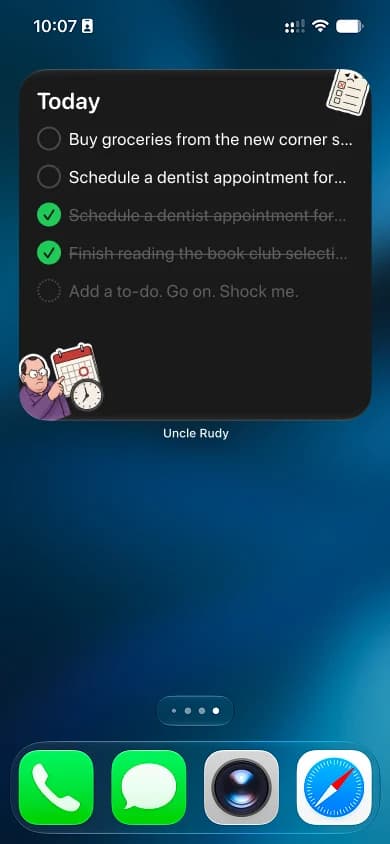
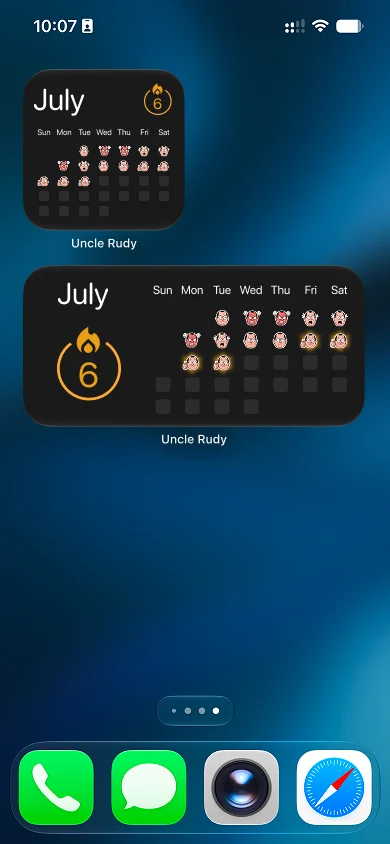
The problem it solves. For accountability to work, it has to stay visible. A commitment you have to go looking for is one you can quietly avoid. By placing the five, and Rudy’s mood, on the Home Screen, the Lock Screen, and the Dynamic Island, the day stays in the user’s field of view whether or not they ever open the app, which is what keeps them honest.
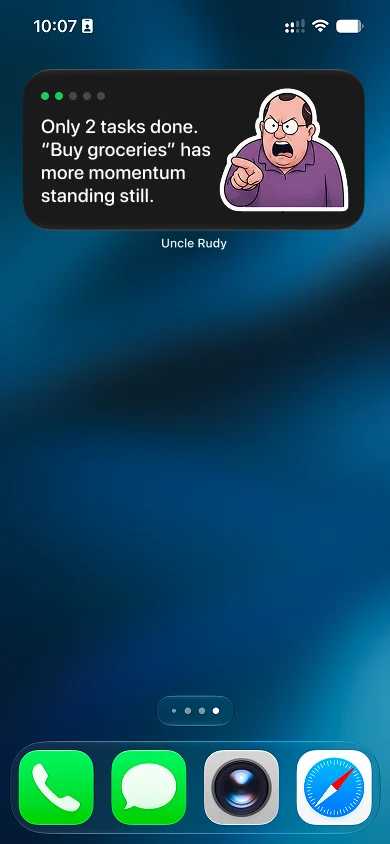
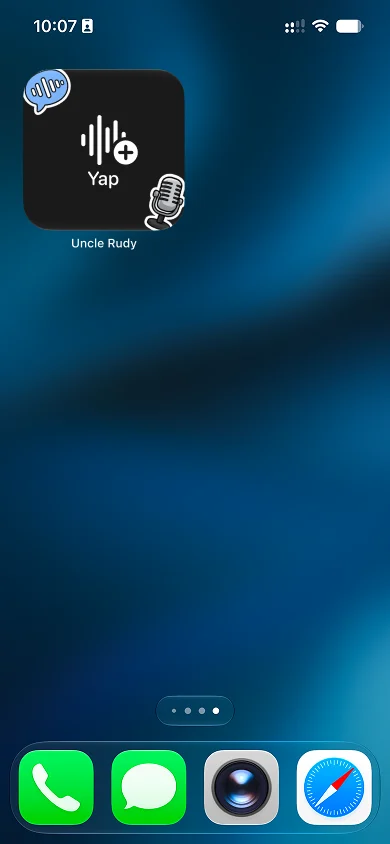
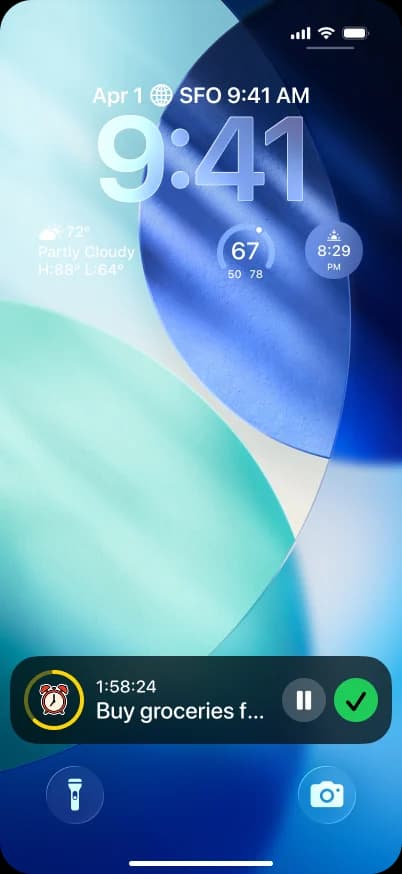
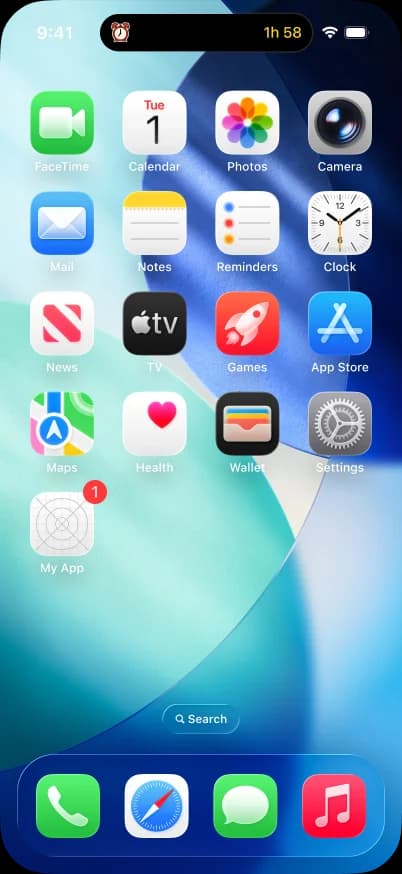
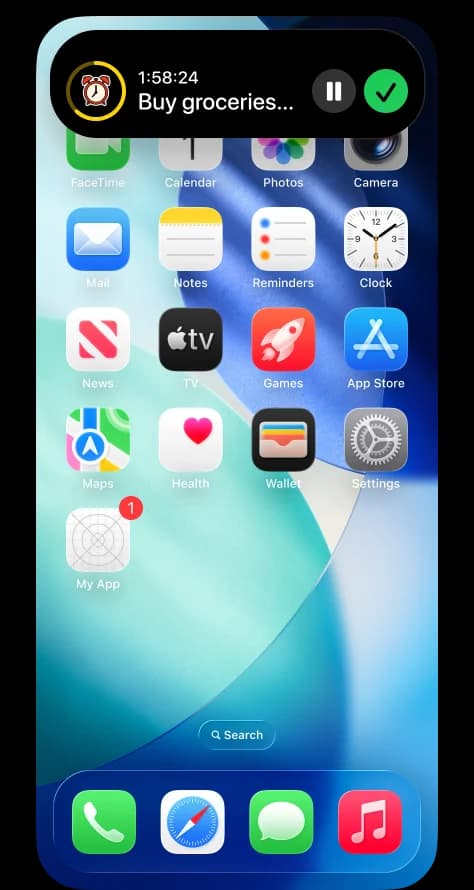
| Surface | iOS 27 capability | How Uncle Rudy uses it |
|---|---|---|
| Home Screen | Extra-large, interactive widgets | Your full five, completable in place, with Rudy's mood beside them. |
| Lock Screen | Lock Screen widgets | Remaining tasks and Rudy's expression on the first screen you see. |
| Dynamic Island | Live Activities | A focus session, always visible, Rudy souring as time runs down. |
| Control Center | Custom controls | One-swipe capture from anywhere in the system. |
| System-wide | Liquid Glass with clarity control | Native rendering, tuned to the user's translucency setting. |
Rendering every surface in Liquid Glass matters beyond appearance. Because the app lives mostly outside itself, its surfaces need to read as part of the system rather than as something placed on top of it, and honouring the clarity control lets Rudy blend into a busy Home Screen or stand out on a quiet one.
On device by default, Private Cloud Compute where it earns its place
A todo list, and especially a voice recording of one’s day, is among the most personal data on a phone. The architecture reflects that. There is no account and no cloud sync, and the everyday intelligence runs locally, so the app behaves identically in Airplane Mode giving users a sense of total privacy and control over their data.
| Operation | Runs where |
|---|---|
| Voice into structured tasks (our model via Core AI) | On device |
| Personality generation (Dynamic Profiles) | On device |
| Photo into tasks (Vision) | On device |
| Memory and pattern search (Spotlight semantic index) | On device |
| Restyling Rudy's look (Image Playground) | Private Cloud Compute |
| Rare heavy reasoning (Foundation Models server tier) | Private Cloud Compute |
For the few operations that genuinely exceed what a phone should do alone, iOS 27 lets apps reach the Apple Foundation Models on Private Cloud Compute, which extends the device’s privacy to the cloud and does not retain user data. We use it sparingly and visibly, and we are precise about where the line sits, because a privacy position is only meaningful if it is exact.
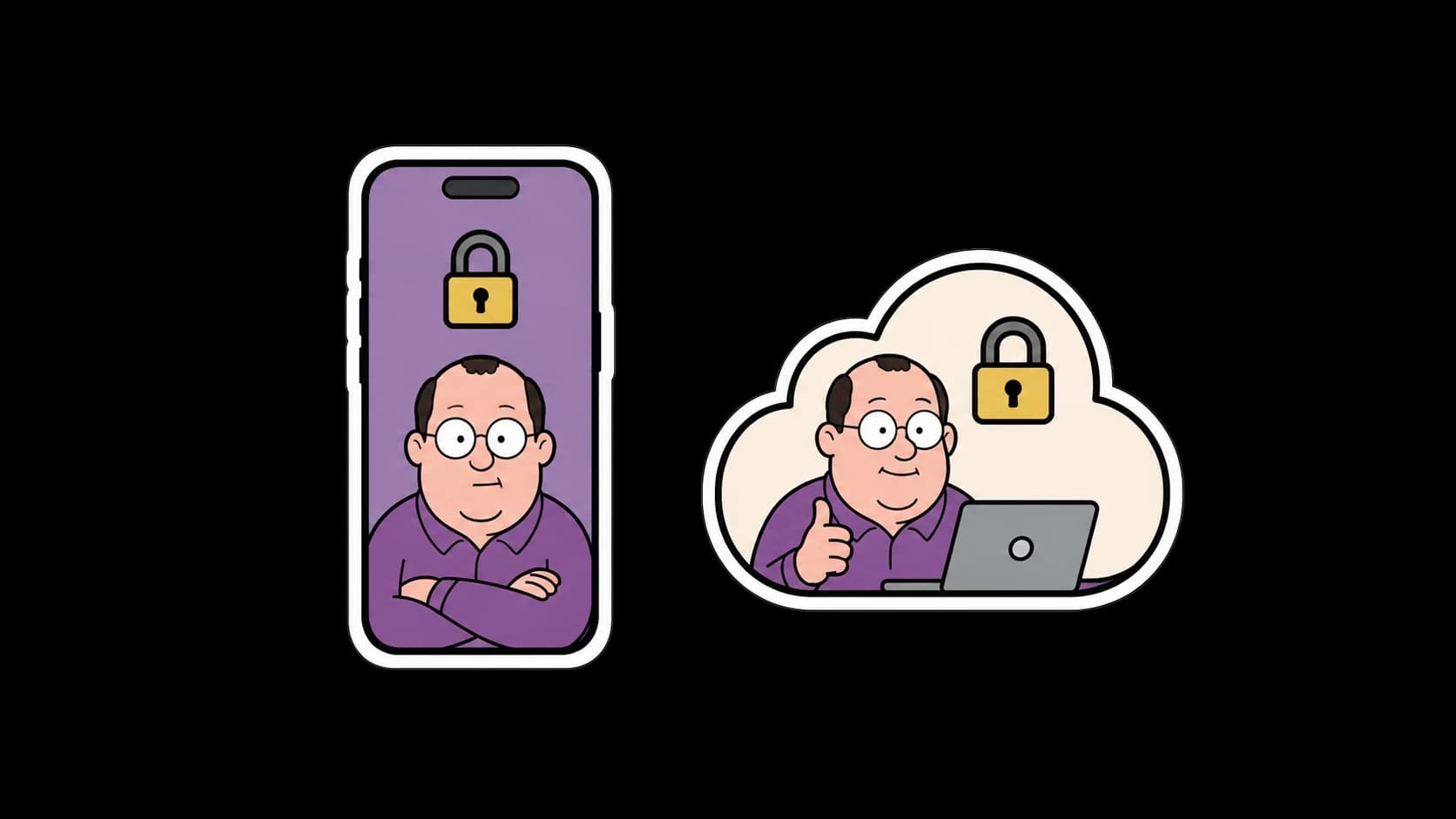
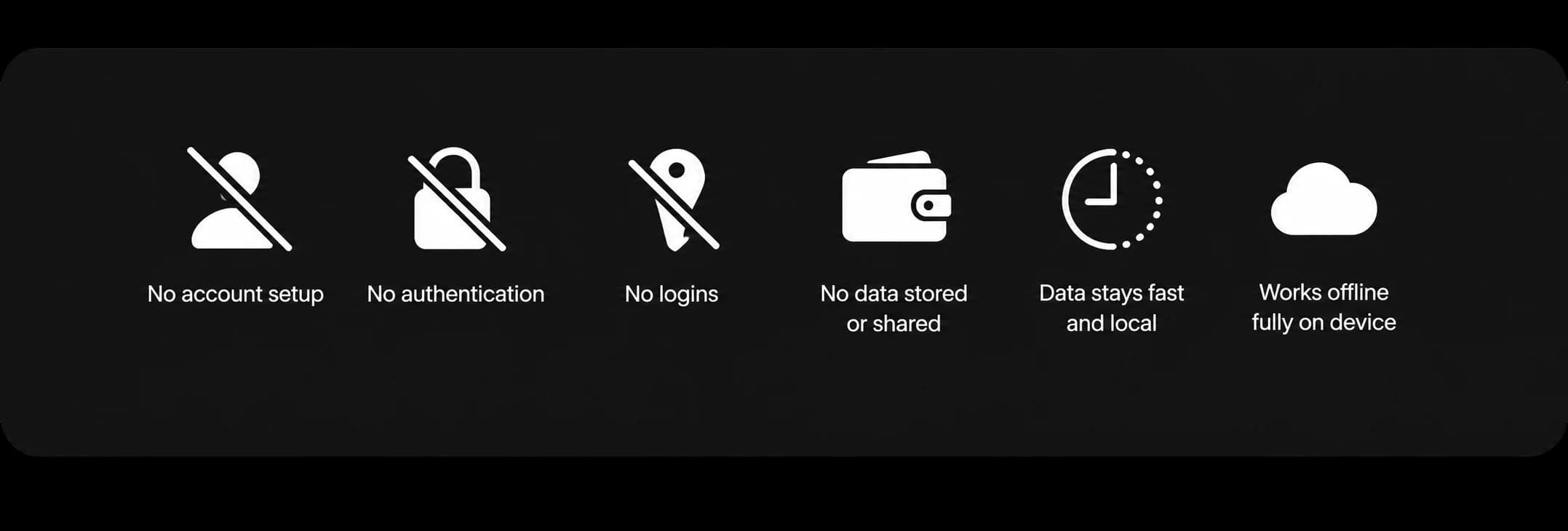
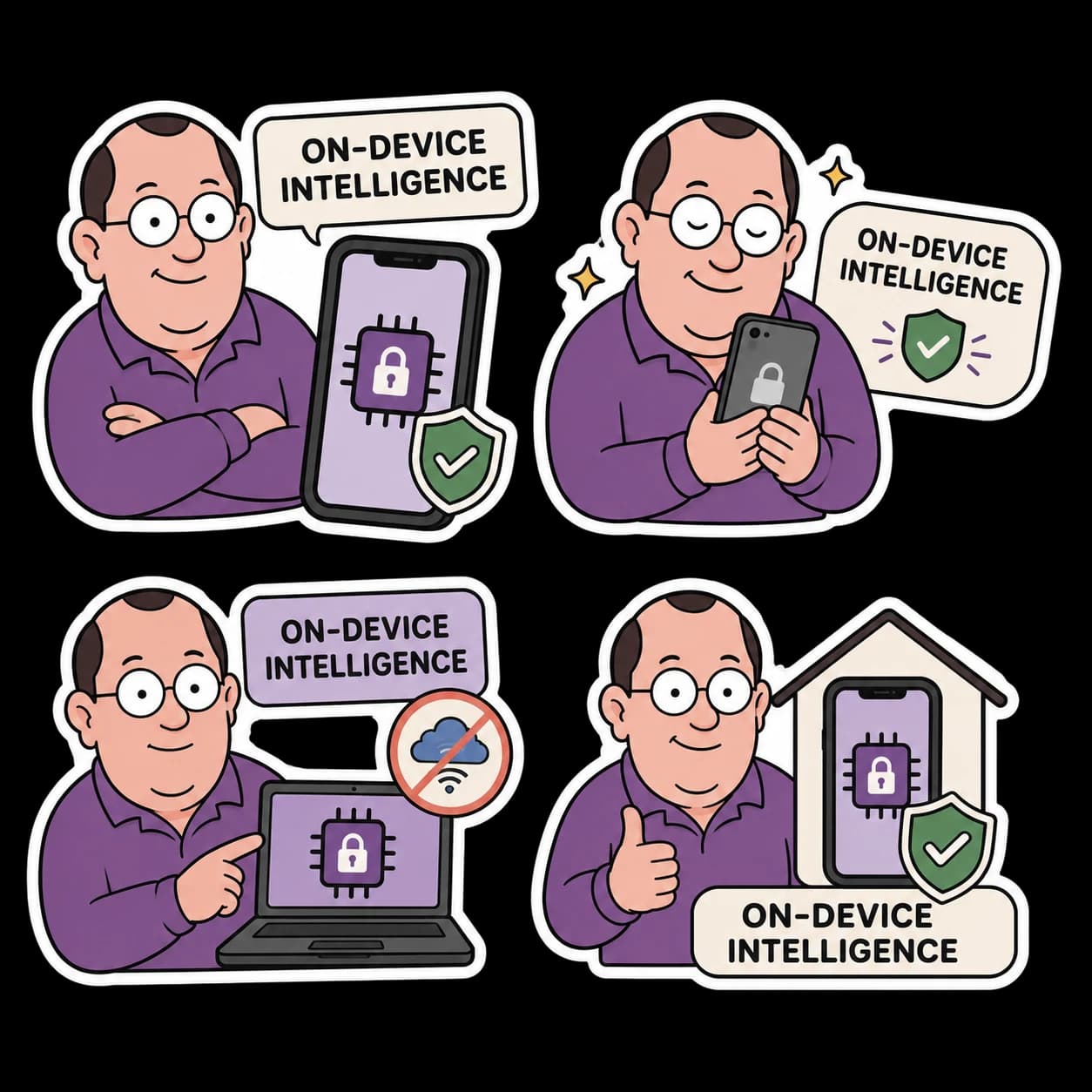

This is a product decision as much as a principle. Because there is no per-request cost, we never have to ration the intelligence or meter the user, and because nothing is uploaded, people are willing to put the real, sensitive things on their list, which an accountability app depends on.
Usable by the people who need it most
Executive function is not evenly distributed, and the people who most need help starting and finishing things are often the least well served by productivity software. An app built on that premise treats accessibility as a requirement rather than a checkbox.
| Support | What it covers |
|---|---|
| VoiceOver | Full navigation and task management for blind and low-vision users. |
| Dynamic Type | Layouts hold at the largest text sizes. |
| Reduce Motion | Rudy's animations respect the setting. |
| Increase Contrast | Legibility is maintained against Liquid Glass translucency. |
| Full voice operation | The entire app can be run by voice through Siri and our own capture, so it is genuinely hands-free. |
Because the app can be operated end to end by voice, accessibility and the core interaction model reinforce one another rather than competing for attention. The same on-device intelligence that makes Rudy fast for everyone also makes the app fully usable for someone who cannot see the screen or cannot type, which is a rarer combination in this category than it should be.
Why this matters for the platform
We built the integration this broadly on purpose, and it is worth being explicit about why it may be useful beyond our own product.
Most demonstrations of a new platform prove that a feature runs. Uncle Rudy is a real product that people use every day, which we think makes it a more honest test. A demo shows a capability works once. A product people keep shows the capability was worth building, and it keeps them engaged with the newest parts of the platform rather than with a third-party cloud service. Because the app leans on Siri, on-device intelligence, widgets, and Live Activities in daily use, the retention of the app is also retention of the iOS 27 experience.
| What Uncle Rudy demonstrates | Why it is useful beyond our app |
|---|---|
| The new frameworks working together | Core AI, Foundation Models, and App Intents are shown cooperating in one shipping app, not in isolation, which is a clearer reference for other productivity developers than any single-feature sample. |
| The on-device stack is production ready for a small team | We shipped a custom model through MLX and Core AI without a research organisation, which is a useful signal about how accessible the stack now is. |
| A repeatable model pipeline | The MLX to Core AI path is generalisable. Once it exists, the cost of the next small, private, on-device model drops sharply, for us and for anyone who follows the same route. |
| App Intents adopted the intended way | By using the system task-management schema rather than a custom grammar, the app is close to a reference implementation for bringing a productivity app to Siri in iOS 27. |
| Privacy-first AI that is still genuinely useful | The app is evidence that powerful, everyday intelligence can run entirely on device, which reinforces the platform's core differentiation rather than working around it. |
| Daily engagement with Apple Intelligence | An accountability app is opened many times a day, so it keeps users actively using the platform's newest capabilities rather than trying them once. |
| Accessibility as an outcome, not a pass | Full voice operation makes the app usable for people typically underserved by this category, and shows those features carrying real product weight. |
Where we are taking it
Uncle Rudy is already a broad, working integration of iOS 27. A few directions extend it further, and each deepens the platform adoption rather than adding surface area. The first is the one we are investing in most.
A self-improving, on-device notification system
Notifications are the next frontier for this product, and the area we think is most interesting technically. Everything the platform has done so far, and done well, has been about the receiving side: making the notifications you already received easier to cope with. The decision of whether a notification should exist at all has stayed on the app’s side, and there it has barely changed in a decade.
| Layer | What it does | Side |
|---|---|---|
| Grouping | Makes the flood easier to scan. | Receiving |
| Scheduled summaries | Batches delivery. | Receiving |
| Focus modes | Holds some back. | Receiving |
| Prioritization | Raises the important ones. | Receiving |
| Summarization | Turns a stack into a sentence. | Receiving |
| Whether to send at all | Decides if the notification is created in the first place. | Sending |
The direction we are building is a small on-device model on the sending side, which reads the full shape of the day and decides four things: whether to send anything, when, how insistently, and in what tone for the chosen personality. Its inputs are all local: completed tasks, overdue items, streak state, daily rhythm, last app open, whether Rudy is already on screen, whether a focus session is active, and whether it is even a reasonable hour. Very often the right answer is silence, which for an accountability app is not a failure but the point, because a nudge that gets muted can no longer hold anyone to anything.
The part we are most interested in is that the system is designed to improve itself. It keeps its own metrics, per user, on device, and treats each notification as an experiment: did the user open it, act on it, dismiss it unread, finish the task within the hour, or mute the app. Then it adapts. If it has been firing at midday and midday engagement is consistently poor, it stops and tries the window where the user actually responds. If a kind of nudge is repeatedly dismissed, it sends fewer. Over a few weeks it converges on the handful of moments in that specific person’s day when a nudge is genuinely worth sending.
We think an on-device model that decides whether to speak at all is a pattern with value well beyond a single app, and it is the clearest expression of what we believe on-device intelligence is really for: not generating more, but making a considered judgment privately, on the user’s behalf, about when to leave them alone.
Talking to Rudy to plan the day
Voice capture already lets people get a tangle of thoughts out of their head quickly. The natural extension is a short spoken check-in at the start of the day, where Rudy helps turn that fog into a clear, ordered plan and, most usefully, points to the one thing to start first. Much of the value here is not creating tasks at all, but helping someone think out loud, which is increasingly how people use on-device intelligence. It also closes the one gap named earlier in this document: choosing your five is not the same as knowing where to begin, and a short conversation is the most natural way to solve it.
Reactions generated per task
Rudy’s reactions are drawn in his own style and matched to each task. The next step is generating them on device for each specific task, so every reaction is produced fresh for exactly what the user wrote, which suits a character whose appeal is that he is responding to that person specifically.

What building it actually taught us
Three things surprised us while building it, and all three trace back to the same decision. Capping the day at five tasks was meant to be a point of view about focus. It turned out to be the constraint that made every other part of the app simpler to design.
The first is that a hard limit removes more decisions than it creates. With five slots there is no backlog view to design, no sorting model to argue about, and no empty state that needs to talk someone into starting. Most of the surface area a to-do app usually carries exists to manage abundance, and abundance is exactly what the rule takes away.
The second is that a character earns retention that notifications cannot. A reminder is easy to dismiss because there is nothing on the other side of it. Someone who noticed is harder to dismiss. The difference does not show up in how many people open the app in the first week; it shows up in how many are still opening it in the fourth.
The third is about the platform. Running on device meant every capability had to justify its cost in memory and latency, and that pressure kept the integration honest. Voice, intent, vision and widgets are in the app because a tasks app genuinely needs them, not because iOS 27 shipped them. The features that did not survive that test are not here, and the product is smaller and better for it.
Built to show what iOS 27 can do
Uncle Rudy set out to show that iOS 27’s intelligence is ready for a real, everyday product, not just a demo, and to do that we adopted the platform deeply rather than decoratively
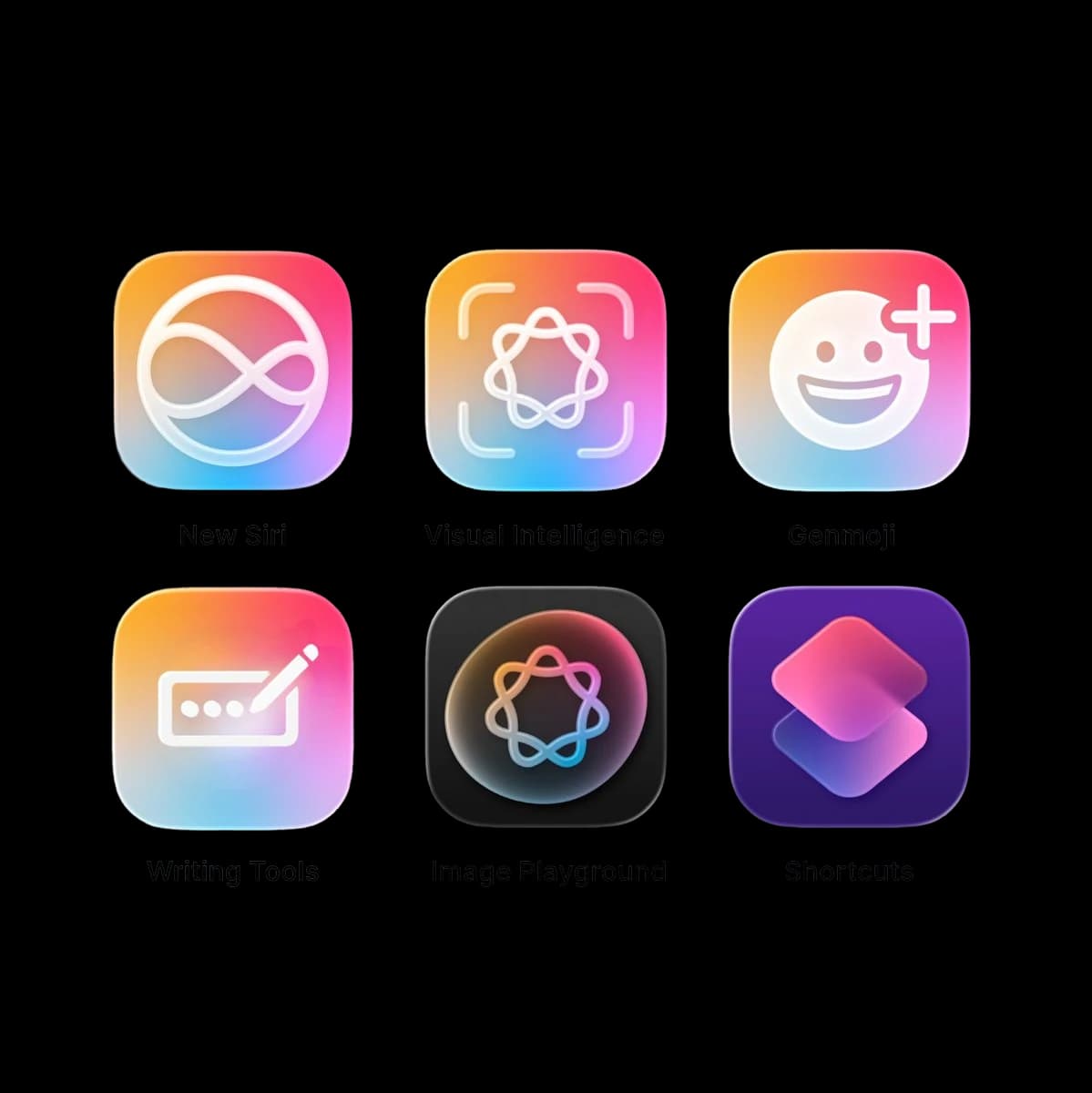
A custom model trained with MLX and shipped through Core AI turns your voice into structured tasks on the Neural Engine. App Intents and Siri AI let you add, move, complete, and delete tasks from anywhere, and onscreen awareness lets Siri act on what is already in front of you. Foundation Models power the three personalities through Dynamic Profiles, read a paper list through Visual Intelligence, and give Rudy his memory through on-device search. Extra-large widgets, Live Activities, the Dynamic Island, and Liquid Glass keep the day in view without ever opening the app, and nearly all of it runs on device, with Private Cloud Compute held in reserve for the few things that genuinely need it.

What comes next deepens the same idea rather than widening it. A self-improving, on-device notification system that decides whether a nudge should exist at all and learns each person’s rhythm privately, a short spoken check-in to help plan the day, and reactions generated per task. Together they make Uncle Rudy both a genuinely useful product and proof that the platform is ready for apps people keep.

